 |
DvsenseDriver
1.2.6
The SDK for dvsense products.
|
|
DvsenseDriver
1.2.6
The SDK for dvsense products.
|
After delivery, small changes in the camera lenses or the release of mechanical stress in the camera structure may cause a slight pixel offset between the DVS event data and the RGB image. If the two images are no longer spatially aligned, use the following procedure to manually calibrate the DVSync fusion camera.
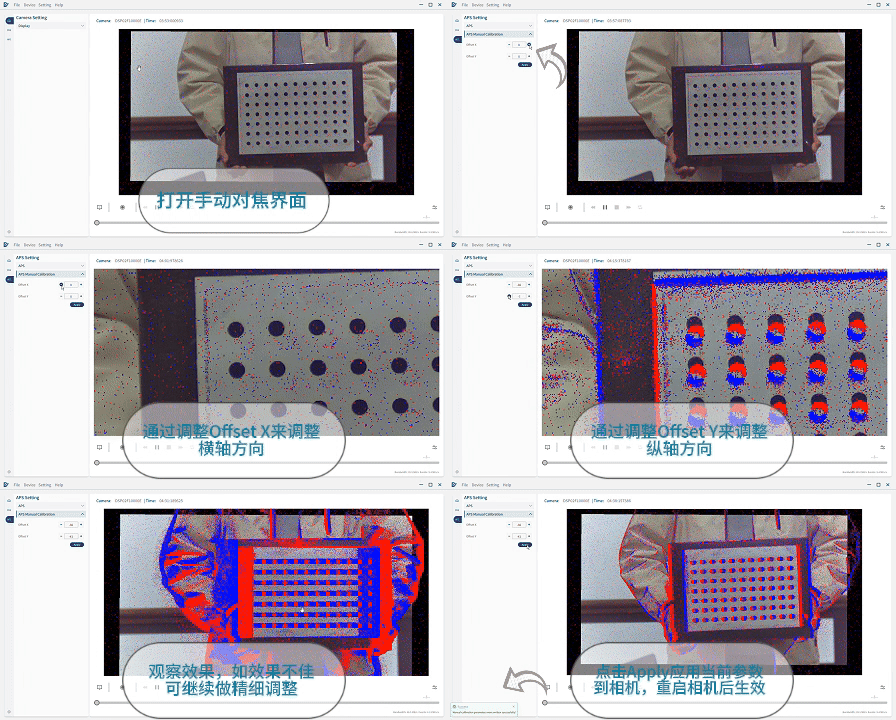
First, focus both the DVS image and the RGB image so that the calibration target or another reference object is clearly visible in both views. Under normal conditions, rotate the corresponding lens focus rings until both images are sharp.
If either image cannot be focused, the internal structure may have shifted because of an external force. Contact DVSense technical support or your sales representative for assistance or replacement.
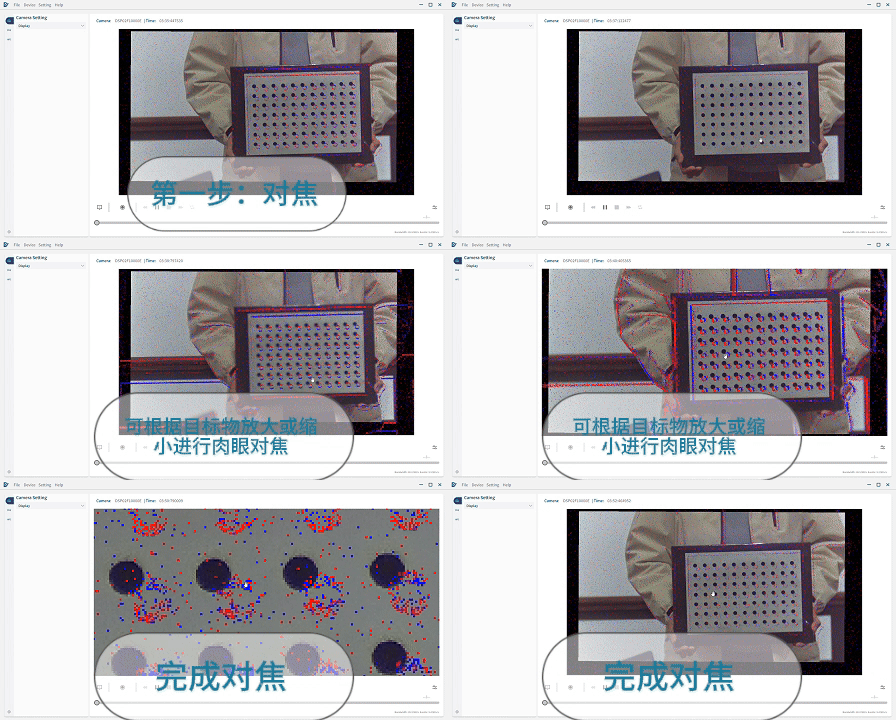
Open the APS Settings panel in the sidebar, and then open Manual Calibration. Adjust Offset X and Offset Y to shift the APS image until there is no visible spatial offset between the APS and DVS images.