 |
DvsenseDriver
1.2.5
The SDK for dvsense products.
|
|
DvsenseDriver
1.2.5
The SDK for dvsense products.
|
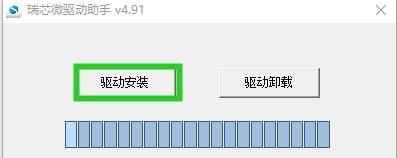
Install the DriverAssitant driver, as shown below:
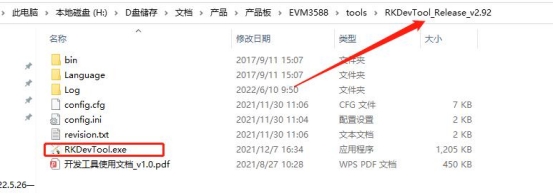
Install the flashing tool RKDevTool_Release_V3.15, and launch the .exe program:
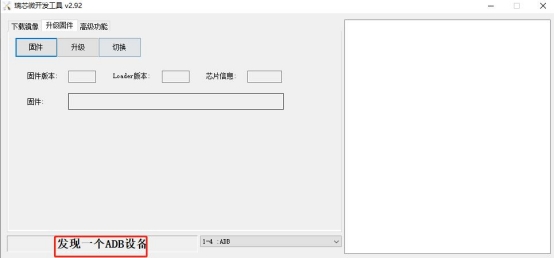
Connect the DVSync camera to the computer via USB cable. The software will display the following status:
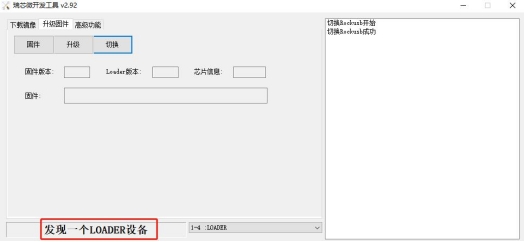
Click Switch to enter loader mode:
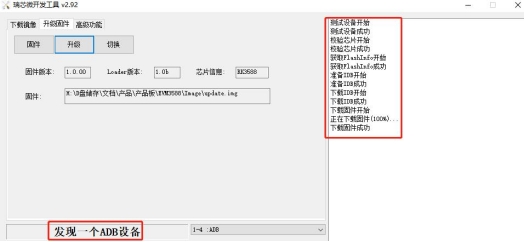
Click Firmware Load, select the image file you want to upgrade, then click Upgrade to start flashing:
⚠️ Important Notice:
| Version | Download Link | Release Notes |
|---|---|---|
| V1.7.6 | https://sdk.dvsense.com/download/DVSyncFirmwareDownload/Dvsync_v1.7.6.img | Latest release |